Beta Tester Quickstart Guide
Welcome to the BuyersMarket beta! This guide will get you up and running in under 5 minutes. As a beta tester, you'll be among the first to help shape Jamaica's grocery price intelligence platform.
"Welcome to the team! As a beta tester, you're helping build something that will help all of Jamaica shop smarter. Let me show you around!"
Time to Complete: Under 5 minutes
4 steps from zero to exploring prices
📋 What's Available in the Beta
Create Your Account
Head to the dashboard and create your account. Your account works across all BuyersMarket platforms — web now, and mobile when it launches.
- ✓Click "Sign In" at the top of the dashboard
- ✓In the modal, click the "Sign Up" tab
- ✓Enter your email and create a password (minimum 6 characters)
- ✓Click "Create Account"
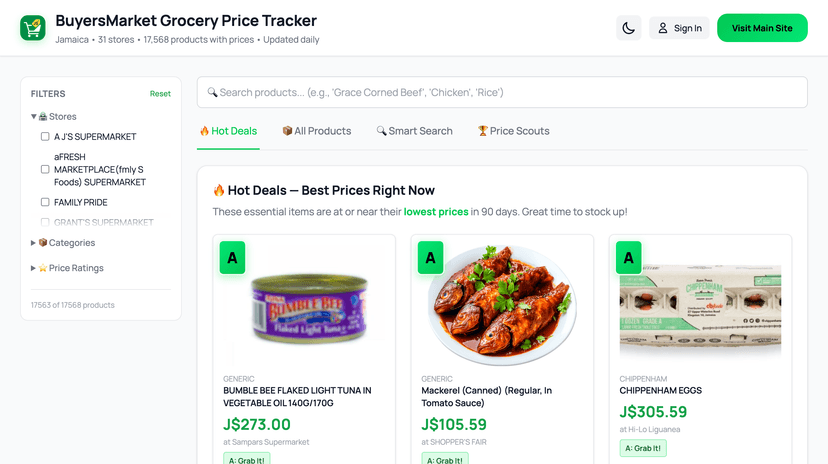
Click "Sign In" at the top of the dashboard
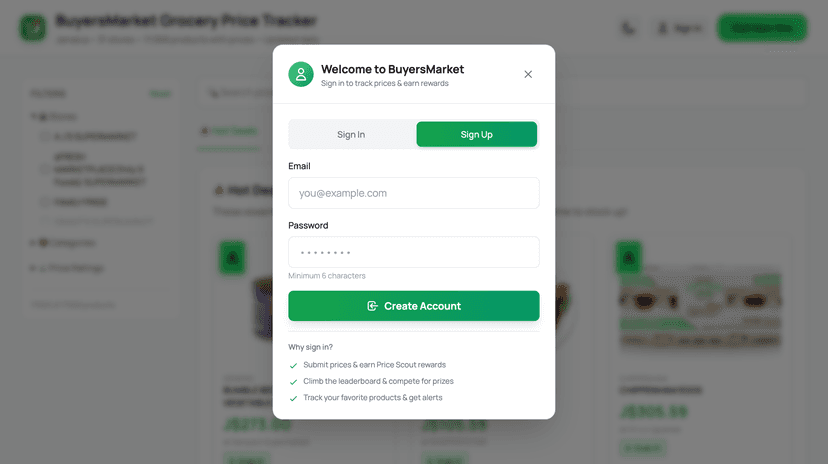
Switch to "Sign Up" tab and create your account
🔑 One account for everything: Your registration gives you access to the web app, the dashboard, and the mobile apps on iOS and Android. No need to register separately. The WhatsApp bot works independently using your phone number.
Explore the Dashboard
You're already on the dashboard from Step 1. Now let's explore what it has to offer.
You'll land on the Hot Deals tab — products at their lowest prices right now
Browse the four tabs to explore different features
Use the search bar at the top to find specific products
📋 Dashboard Tabs at a Glance
🔥 Hot Deals — A-rated products at their lowest prices
📦 All Products — Browse & search all 37,000+ products, submit prices
🔍 Smart Search — Ask questions in plain English or write SQL queries
🏆 Price Scouts — Leaderboard, your points, and submission history

Pro Tip
Bookmark the dashboard on your phone's home screen! On iPhone: tap Share > 'Add to Home Screen'. On Android: tap the menu > 'Add to Home screen'. It works just like an app!
Search & Explore Prices
Try searching for a product you buy regularly to see how the A-B-C ratings work.
Go to the All Products tab
Type a product name in the search bar (try "rice" or "chicken")
Look at the A-B-C rating for each result:
Grab It! — Significantly below the typical price. Buy now.
Fair Price — In the normal range. Buy if you need it.
Hold Off — Above the typical range. Wait if you can.
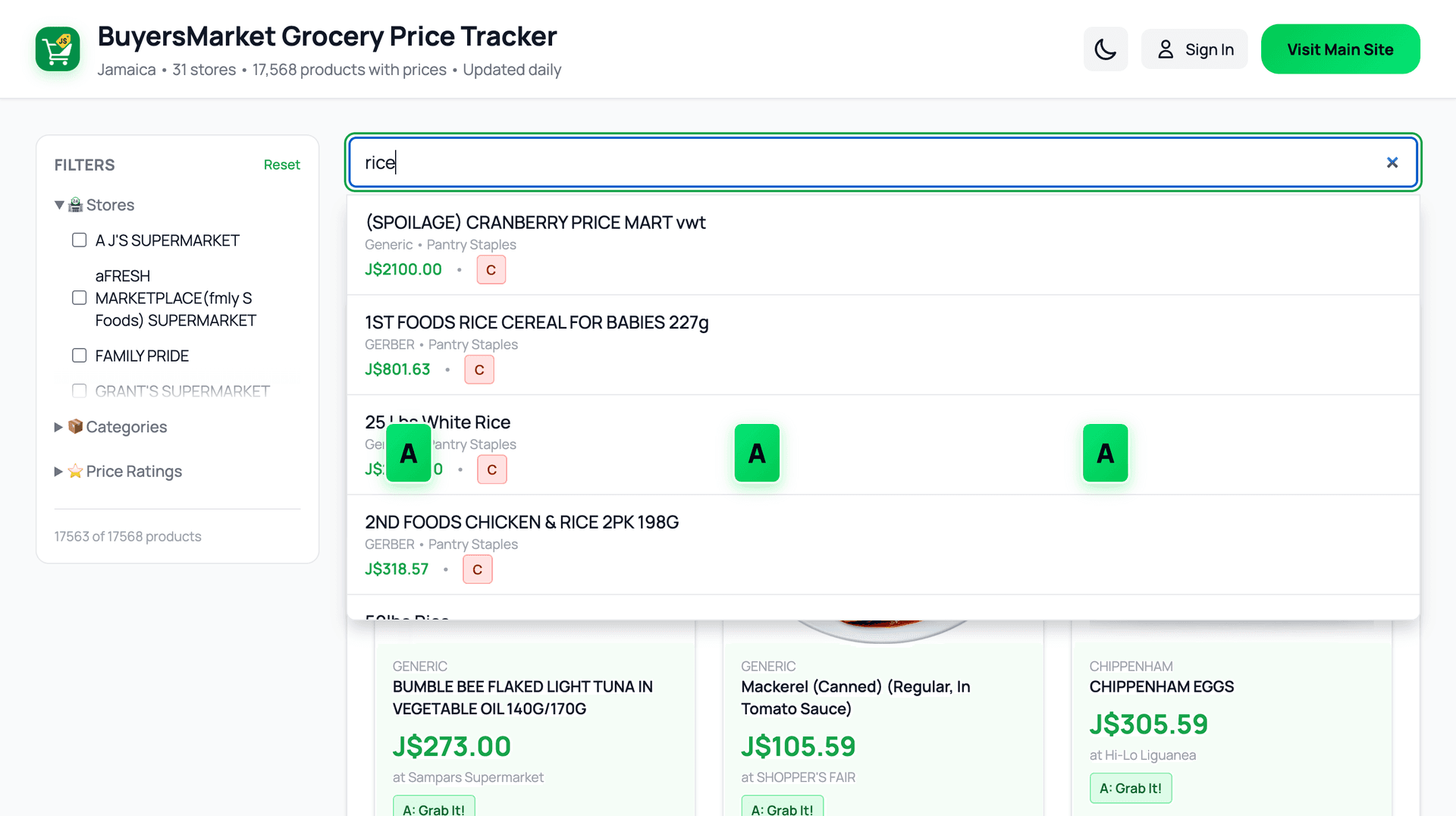
Searching for "rice" shows instant results with A-B-C ratings
🔍 Try Smart Search
Go to the Smart Search tab and try asking in plain English: "What are the cheapest items at MegaMart right now?" or "Show me all A-rated products"
Submit Your First Price
This is the core of what makes you a beta tester! Next time you're at the grocery store, submit a price.
Make sure you're signed in on the dashboard
Go to the All Products tab and find a product
Click Submit Price next to the product
Enter the price and store where you saw it, then submit
⭐ Earn points! You'll earn 5-25 points per verified submission. Keep submitting to unlock badges (Bronze, Silver, Gold, Diamond) and climb the leaderboard.
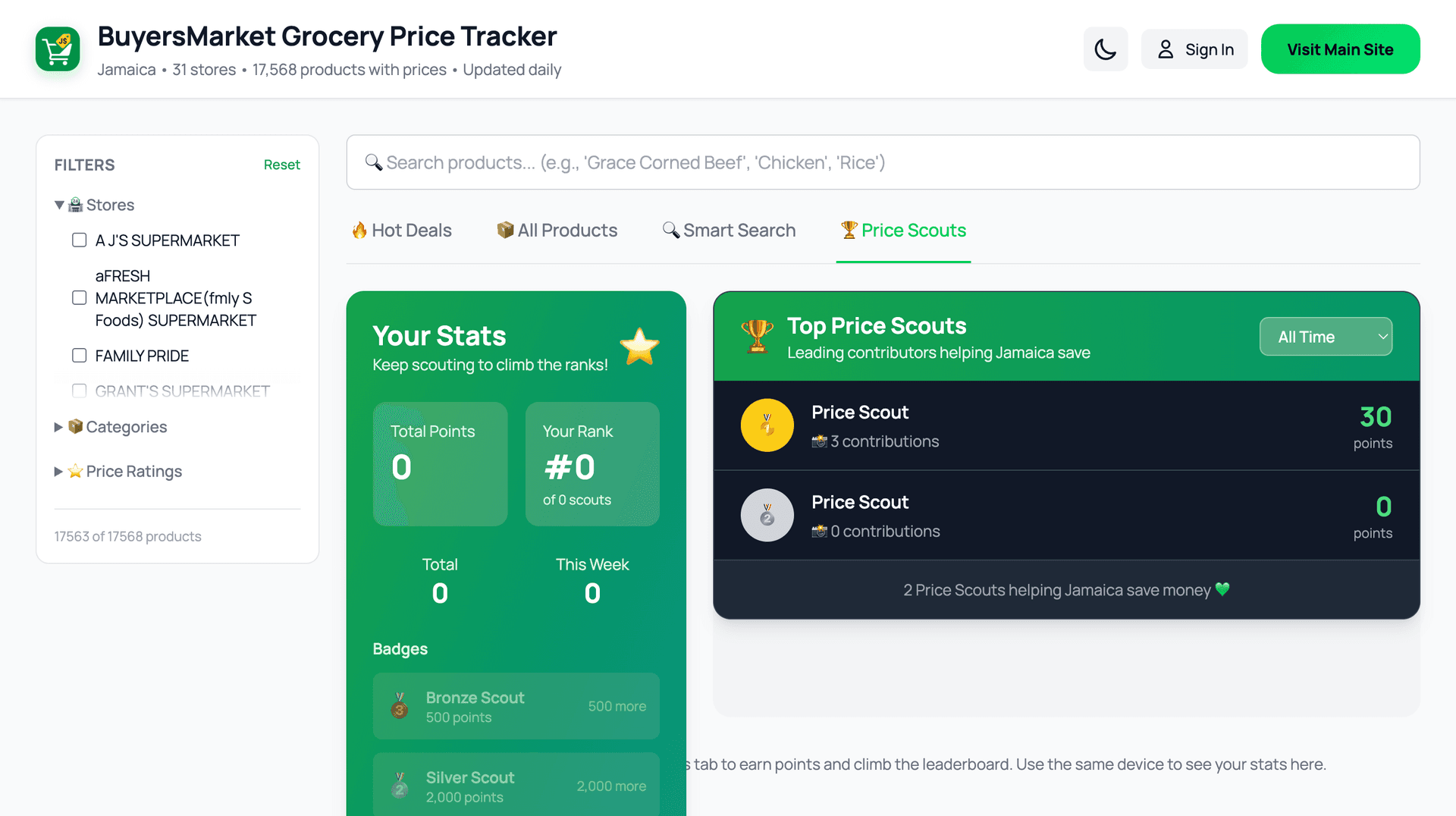
The Price Scouts tab — track your points and climb the leaderboard
You can also submit prices via WhatsApp! Send a photo of a shelf price tag to the BuyersMarket WhatsApp bot, and AI will extract the product details automatically.
🎯 Your Role as a Beta Tester
Submit Prices Regularly
When you're at the grocery store, take a moment to submit a few prices. Even 2-3 per trip helps enormously. This is the most valuable thing you can do.
Report Bugs & Issues
If something doesn't work right, looks off, or confuses you, email us at save@buyersmarket.app. Screenshots are super helpful!
Share Feedback & Ideas
Tell us what features you'd love to see, what's confusing, and what works well. Your feedback directly shapes what we build next.
Spread the Word
Know someone who'd make a great beta tester? Share buyersmarket.app with them. The more data we have, the better the platform works for everyone.
❓ Beta Tester FAQ
Do I need to download anything?
The web dashboard works in any browser, and the mobile app is available on the App Store and Google Play. Your same account works across all platforms.
Is my account the same for web and mobile?
Yes! One registration gives you access to the web app and mobile apps. You never need to create separate accounts. The WhatsApp bot works separately using your phone number — no login required.
How often are prices updated?
Prices are updated daily through automated collection from retailer websites. Community submissions (like yours!) help keep prices fresh between updates.
What happens to my data after the beta?
Your account, points, badges, and submission history carry over to the full launch. Nothing is lost — early contributors get to keep their head start on the leaderboard!
How do I contact the team?
Email us anytime at save@buyersmarket.app. We read every message and respond within 24 hours.
You're Ready to Go!
Thank you for being a beta tester. Every price you submit makes BuyersMarket better for all Jamaicans.
Still Need Help? 🤔
Our team is here to help you get the most out of BuyersMarket. Reach out anytime!