Retailer Dashboard: Know Where You Stand
For supermarket chains. Every morning, see how your shelf prices compare with the other chains we track, which items shoppers will see as Hold Off, and the few price moves worth making this week.
Looking for the full page-by-page tour? Open the Retailer Dashboard guide.
How it works
Updated every night
We read the public prices of 14 stores at 8 chains each night. Figures are daily-updated, not real-time, and every page shows when prices were last read.
Like for like only
Only items another chain also sells are compared, matched by barcode, name and size, or a photo check. Every match shows how it was made.
Rivals by letter
Other chains appear as Rival A, Rival B and so on, fixed for your account. Your figures are never shown to another chain either.
Shoppers' prices never change
The dashboard can't touch the prices or A-B-C ratings shoppers see. It shows you where you stand; you decide what to change.
The two plans
Plans are priced per chain. Email save@buyersmarket.app for a quote or to switch plans.
KVI Scorecard
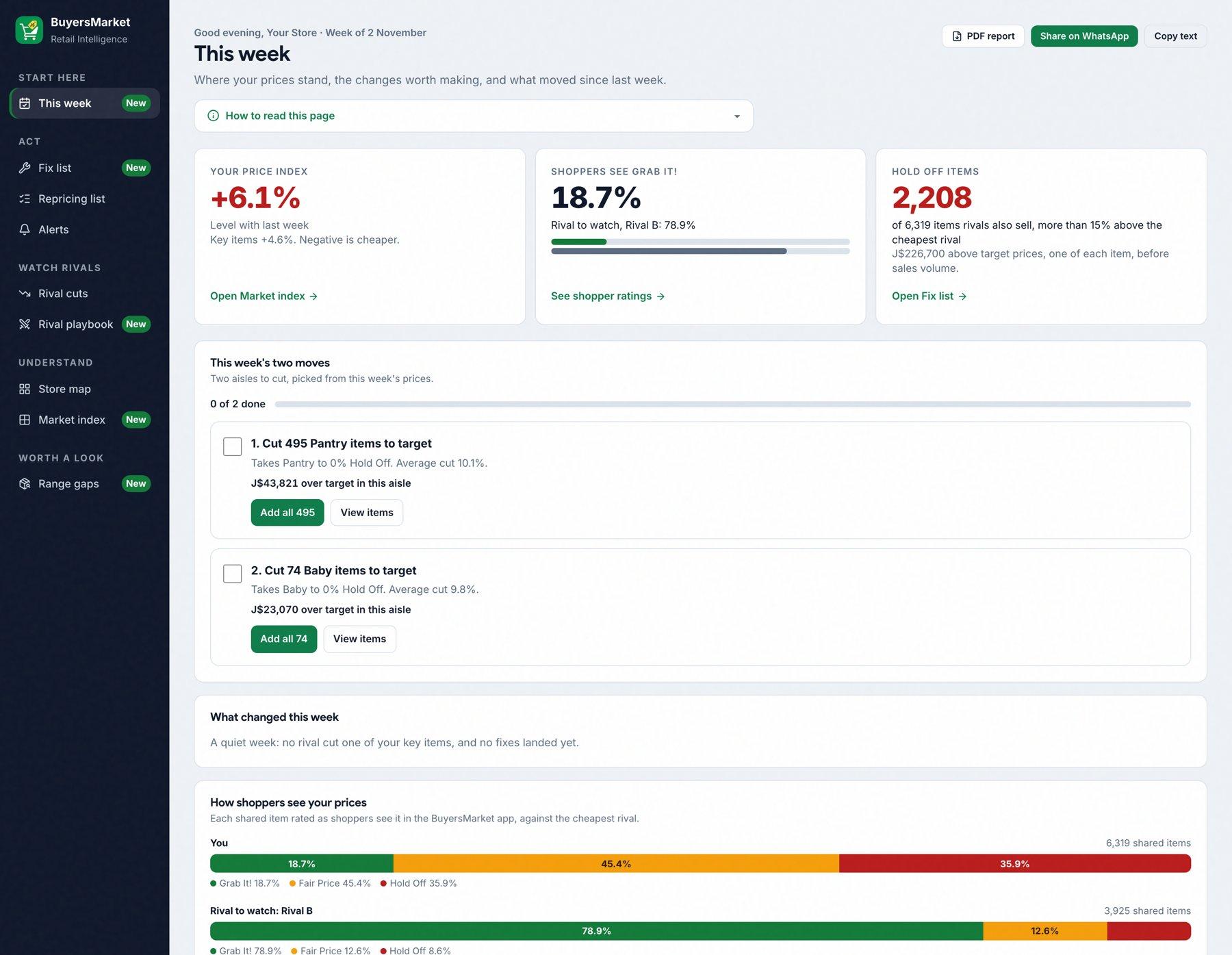
Key items- This week: your price index, the week's moves and rival cuts on your key items
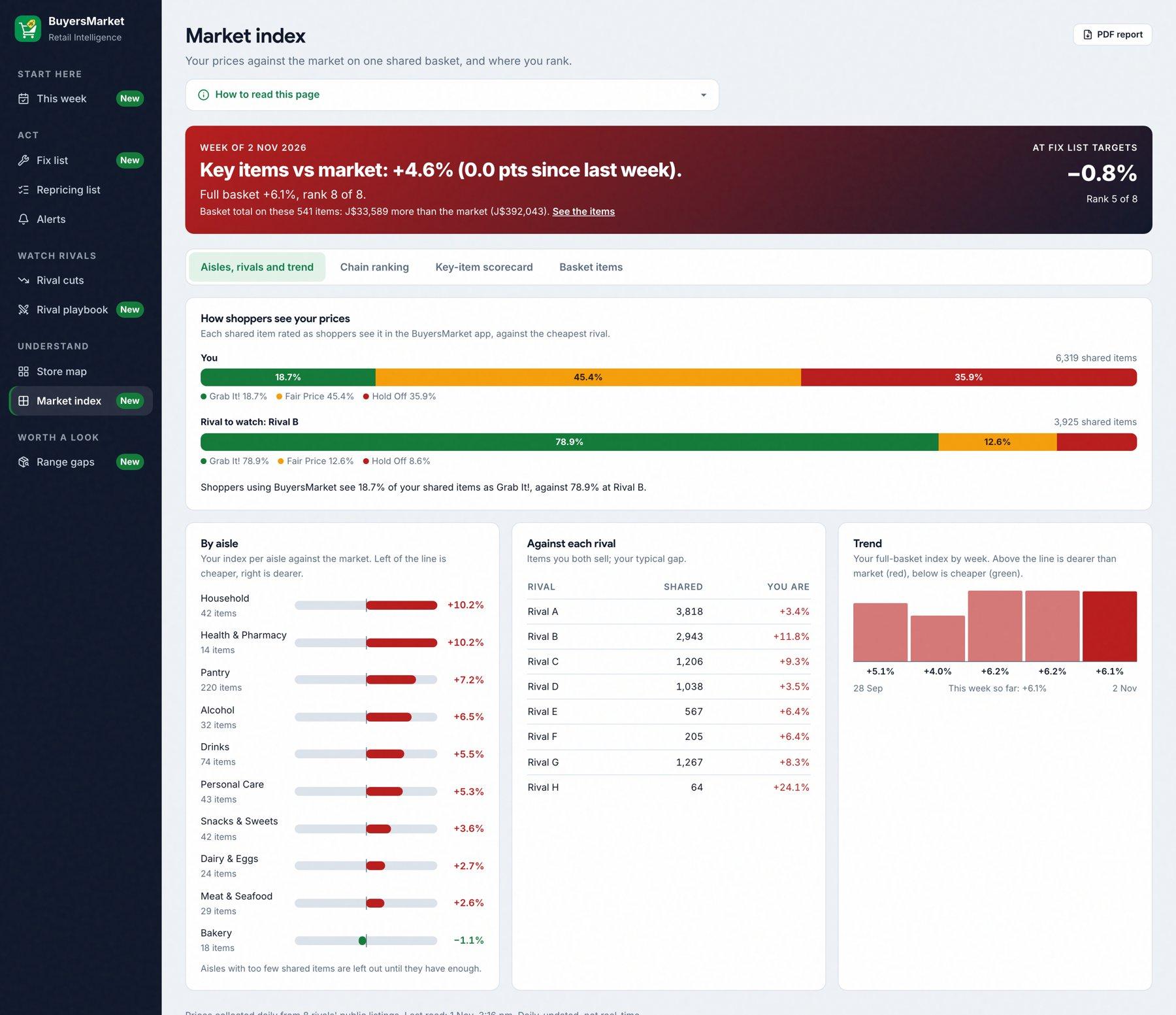
- Market index: one shared basket, every chain ranked, and how shoppers rate your prices
- The weekly report as a printable PDF
- In-app flyers: flyer prices and Home banner campaigns
Full Competitive Matrix
Everything- Everything in the KVI Scorecard, plus:
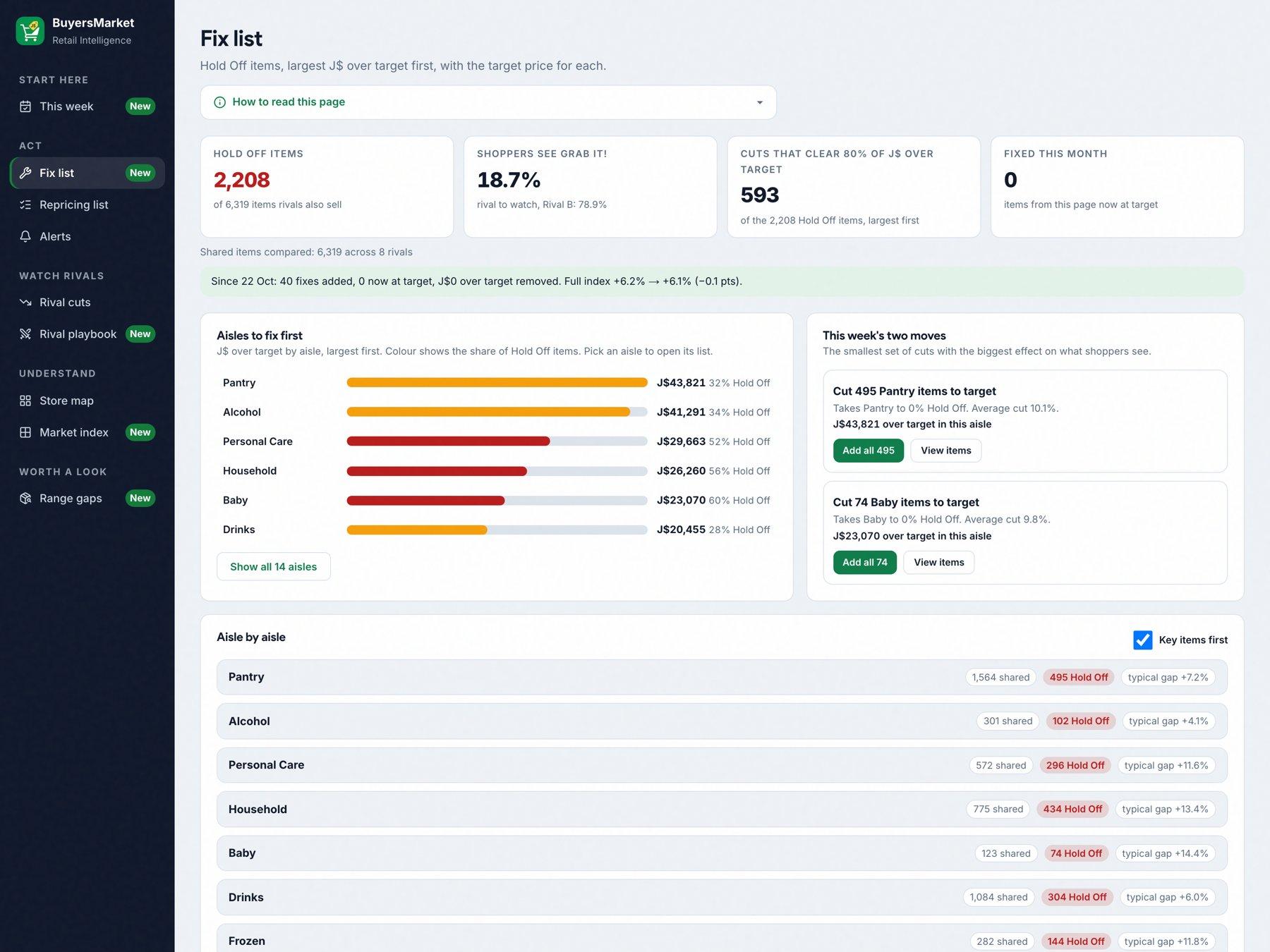
- Fix list: every item above the Hold Off line, with a target price
- Repricing list to send to your store team on WhatsApp or as CSV
- Alerts and item watches
- Rival cuts and the Rival playbook (who moves which day)
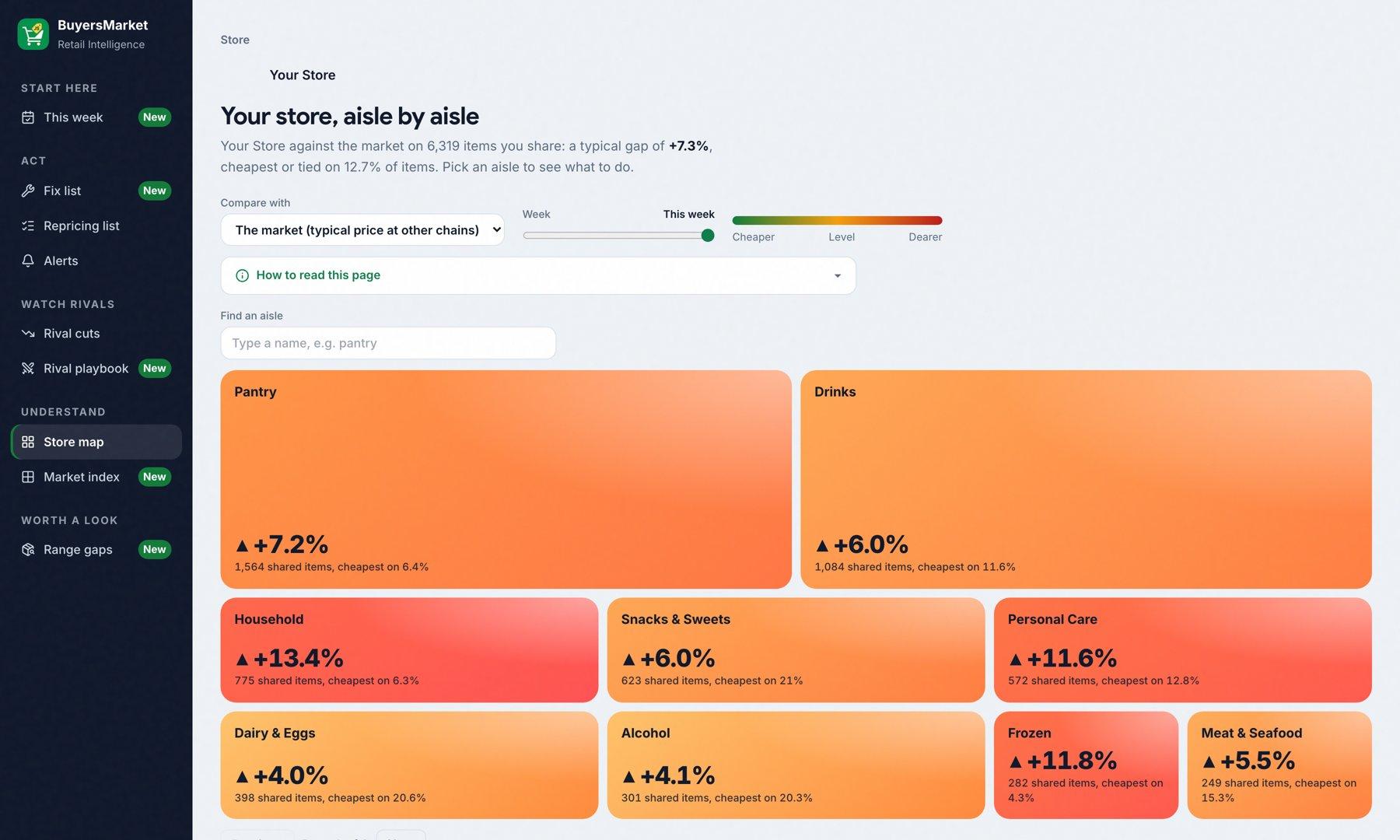
- Store map: every aisle against the market
- Range gaps: items rivals sell that you don't
On the KVI Scorecard, Full Matrix pages show a lock and a short note on what they add.
Getting access
Accounts are set up by BuyersMarket for each chain. There is no self sign-up.
- 1
Ask for an account
Email save@buyersmarket.app with your chain's name and who should sign in. We set up the account and send the details.
- 2
Sign in
Go to buyersmarket.app/retailer-dashboard and use the email and password we set up. Shopper app accounts don't work here.
- 3
Take the tour
Choose Take the tour in the menu, or press ? on any page, for a two-minute walkthrough.
A 5-minute weekly routine
Pick one morning a week. The Rival playbook shows which day each rival usually changes prices.
- 1
Open This week
Your numbers, the week's moves as a checklist, and what changed.
- 2
Work the Fix list
Start with the largest red aisle. Each row shows your price, the cheapest rival and the target. Add all sends an aisle to your repricing list at target.
- 3
Glance at the playbook
Who is cutting, who is raising, and who moves on which day.
- 4
Send the list
Send on WhatsApp or download a CSV for the store team, then mark items done.
- 5
Check it worked
Next morning, Fixed this month counts up, This week lists the fixes that landed, and your index moves.
Questions about the dashboard
Which chains do you compare against?
Why is the target not the cheapest rival's price?
An item says "Not carried" but I stock it.
Two items were matched that aren't the same.
Why don't I see all my products?
Can my competitors see my dashboard?
Can I export the data?
I forgot my password.
Every page, explained
A 10-minute tour of the whole dashboard, one chapter per page. Skip to any chapter with the progress bar.
🎉 Keep Going
Related guides:
Still Need Help? 🤔
Our team is here to help you get the most out of BuyersMarket. Reach out anytime!